
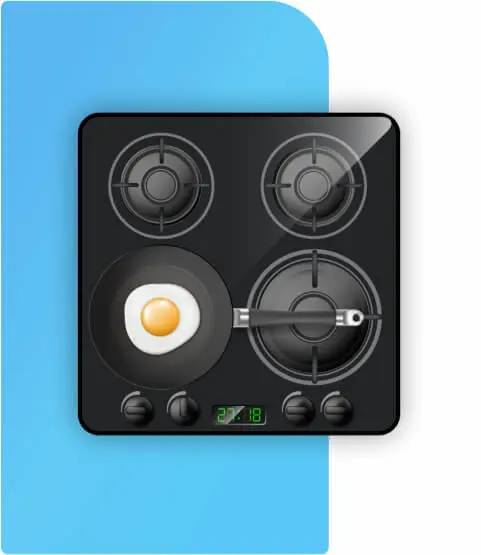
Dacor Cooktop Heating Zone and Output Diagnostics
We assess the affected cooking zone, power supply and fitted heating system on the exact Dacor cooktop model. A cold zone does not prove a failed element or generator.
Online booking opens in a new tab.
Need Dacor cooktop repair in Charlotte, NC? Tell us about a burner not heating or controls not responding and choose a service visit.
Report a burner not heating, controls not responding, or an error message if shown. Include the Dacor cooktop model number.
Choose an available time for your Dacor cooktop repair appointment in Charlotte.
Our technician checks heating zones, ignition, and controls on your Dacor cooktop, as applicable, and explains the repair estimate.
Quick, convenient online scheduling · Opens in a new tab.
E-genius Appliance Repair provides Dacor cooktop repair in Charlotte, NC for common problems such as burner problems, ignition issues, uneven heating, control faults, or a cooktop that will not operate correctly. Our technicians diagnose the issue, explain the recommended repair, and service compatible Dacor equipment and models.
Schedule online or call (980) 443-5851 to request cooktop repair.

We're only a few clicks or a phone call away.
No risk. No pressure.
Guaranteed parts and service.
Expert technicians.
For Dacor cooktop service, identify the exact model, fuel or heating technology, affected cooking zone, control type and what actually happens. Share the complete code or indicator pattern if present.
Verified US model scope: Induction with LCD (induction, touch, wifi). DTI36M977BB. C1 conflicts within owner manual; row flagged unresolved. Other Dacor induction/radiant/gas controls require their own guide. The list covers potential customer-reported symptoms, not measured failure frequencies or confirmed part failures.
Record model, fuel type and visible controls; consider supply interruption, lock state or control problem.
Identify gas, radiant or induction first; compare one zone with all zones and record display.
Compare affected zone, control response and cookware with another zone; avoid assuming a specific part.
Confirm magnetic base, size and centering using the actual owner guide.
Record lock state, moisture, soil and response of each control type.
Record time, pan condition, active zones and display; thermal or time-limit protection is possible.
Stop using damaged glass and arrange service; do not seal a crack and continue cooking.
Stop use if recurring; qualified evaluation of supply and appliance is required. Do not keep resetting.
Possible checks: Record model, fuel type and visible controls; consider supply interruption, lock state or control problem.
Model / feature scope: Induction with LCD. Researched models listed in Overview; use only on a model with the named feature.Next step: Record full model/suffix, fuel type, affected zone, complete display and operating sequence. Follow owner checks; request service if persistent.
Related repair optionsPossible checks: Look for outage, protection state or control lock; an all-zone symptom differs from a single-zone fault.
Model / feature scope: Induction with LCD. Researched models listed in Overview; use only on a model with the named feature.Next step: Record full model/suffix, fuel type, affected zone, complete display and operating sequence. Follow owner checks; request service if persistent.
Related repair optionsPossible checks: Follow model-specific recovery instructions; record exact display and supply state.
Model / feature scope: Induction with LCD. Researched models listed in Overview; use only on a model with the named feature.Next step: Record full model/suffix, fuel type, affected zone, complete display and operating sequence. Follow owner checks; request service if persistent.
Related repair optionsPossible checks: Identify gas, radiant or induction first; compare one zone with all zones and record display.
Model / feature scope: Induction with LCD. Researched models listed in Overview; use only on a model with the named feature.Next step: Record full model/suffix, fuel type, affected zone, complete display and operating sequence. Follow owner checks; request service if persistent.
Related repair optionsPossible checks: Compare affected zone, control response and cookware with another zone; avoid assuming a specific part.
Model / feature scope: Induction with LCD. Researched models listed in Overview; use only on a model with the named feature.Next step: Record full model/suffix, fuel type, affected zone, complete display and operating sequence. Follow owner checks; request service if persistent.
Related repair optionsPossible checks: Record cookware, zone size, selected setting and other active zones.
Model / feature scope: Induction with LCD. Researched models listed in Overview; use only on a model with the named feature.Next step: Record full model/suffix, fuel type, affected zone, complete display and operating sequence. Follow owner checks; request service if persistent.
Related repair optionsPossible checks: Compare cookware flatness, placement, load and zone selection.
Model / feature scope: Induction with LCD. Researched models listed in Overview; use only on a model with the named feature.Next step: Record full model/suffix, fuel type, affected zone, complete display and operating sequence. Follow owner checks; request service if persistent.
Related repair optionsPossible checks: Distinguish normal power regulation from persistent unexpected loss of heat.
Model / feature scope: Induction with LCD. Researched models listed in Overview; use only on a model with the named feature.Next step: Record full model/suffix, fuel type, affected zone, complete display and operating sequence. Follow owner checks; request service if persistent.
Related repair optionsPossible checks: Record setting and whether heat continues after OFF; stop use if control cannot stop heating.
Model / feature scope: Induction with LCD. Researched models listed in Overview; use only on a model with the named feature.Next step: Record full model/suffix, fuel type, affected zone, complete display and operating sequence. Follow owner checks; request service if persistent.
Related repair optionsPossible checks: Stop use; isolate power only if safe and no gas odor. Arrange qualified service.
Model / feature scope: Induction with LCD. Researched models listed in Overview; use only on a model with the named feature.Next step: Stop use; isolate power only if safe and no gas odor. Arrange qualified service.
Related repair optionsPossible checks: Record time, pan condition, active zones and display; thermal or time-limit protection is possible.
Model / feature scope: Induction with LCD. Researched models listed in Overview; use only on a model with the named feature.Next step: Record full model/suffix, fuel type, affected zone, complete display and operating sequence. Follow owner checks; request service if persistent.
Related repair optionsPossible checks: Stop use if recurring; qualified evaluation of supply and appliance is required. Do not keep resetting.
Model / feature scope: Induction with LCD. Researched models listed in Overview; use only on a model with the named feature.Next step: Stop use if recurring; qualified evaluation of supply and appliance is required. Do not keep resetting.
Related repair optionsPossible checks: Input voltage too high or too low.. Record exact model and display context.
Model / feature scope: Dacor DTI36M977BB induction; DG68-00899ANext step: Record full model/suffix, fuel type, affected zone, complete display and operating sequence. Follow owner checks; request service if persistent.
Related repair optionsPossible checks: Stop use if smoke, arcing or an electrical burning odor occurs; qualified assessment is required.
Model / feature scope: Induction with LCD. Researched models listed in Overview; use only on a model with the named feature.Next step: Stop use if smoke, arcing or an electrical burning odor occurs; qualified assessment is required.
Related repair optionsPossible checks: Stop use and keep clear; distinguish gas ignition sparks from electrical arcing on an electric unit.
Model / feature scope: Induction with LCD. Researched models listed in Overview; use only on a model with the named feature.Next step: Stop use and keep clear; distinguish gas ignition sparks from electrical arcing on an electric unit.
Related repair optionsPossible checks: Stop using damaged glass and arrange service; do not seal a crack and continue cooking.
Model / feature scope: Induction with LCD. Researched models listed in Overview; use only on a model with the named feature.Next step: Stop using damaged glass and arrange service; do not seal a crack and continue cooking.
Related repair optionsPossible checks: Inspect cookware bottoms and cleaning method; distinguish cosmetic scratches from cracks.
Model / feature scope: Induction with LCD. Researched models listed in Overview; use only on a model with the named feature.Next step: Record full model/suffix, fuel type, affected zone, complete display and operating sequence. Follow owner checks; request service if persistent.
Related repair optionsPossible checks: Use care instructions for the actual glass finish; identify mineral, metal or food residue.
Model / feature scope: Induction with LCD. Researched models listed in Overview; use only on a model with the named feature.Next step: Record full model/suffix, fuel type, affected zone, complete display and operating sequence. Follow owner checks; request service if persistent.
Related repair optionsPossible checks: Remaining heat can be normal; compare behavior after complete cooling with owner guide.
Model / feature scope: Induction with LCD. Researched models listed in Overview; use only on a model with the named feature.Next step: Record full model/suffix, fuel type, affected zone, complete display and operating sequence. Follow owner checks; request service if persistent.
Related repair optionsPossible checks: On equipped models, determine whether the surface became hot enough; report contradictory behavior.
Model / feature scope: Induction with LCD. Researched models listed in Overview; use only on a model with the named feature.Next step: Record full model/suffix, fuel type, affected zone, complete display and operating sequence. Follow owner checks; request service if persistent.
Related repair optionsPossible checks: Record lock state, moisture, soil and response of each control type.
Model / feature scope: Induction with LCD. Researched models listed in Overview; use only on a model with the named feature.Next step: Record full model/suffix, fuel type, affected zone, complete display and operating sequence. Follow owner checks; request service if persistent.
Related repair optionsPossible checks: Record supply interruptions, protection state and the exact sequence before the change.
Model / feature scope: Induction with LCD. Researched models listed in Overview; use only on a model with the named feature.Next step: Record full model/suffix, fuel type, affected zone, complete display and operating sequence. Follow owner checks; request service if persistent.
Related repair optionsPossible checks: On cool controls, check for moisture or residue and owner lock instructions.
Model / feature scope: Induction with LCD. Researched models listed in Overview; use only on a model with the named feature.Next step: Record full model/suffix, fuel type, affected zone, complete display and operating sequence. Follow owner checks; request service if persistent.
Related repair optionsPossible checks: Confirm magnetic base, size and centering using the actual owner guide.
Model / feature scope: Induction with LCD. Researched models listed in Overview; use only on a model with the named feature. Induction cooking zones only.Next step: Record full model/suffix, fuel type, affected zone, complete display and operating sequence. Follow owner checks; request service if persistent.
Related repair optionsPossible checks: Record symbol; pan detection states differ by control.
Model / feature scope: Induction with LCD. Researched models listed in Overview; use only on a model with the named feature. Induction cooking zones only.Next step: Record full model/suffix, fuel type, affected zone, complete display and operating sequence. Follow owner checks; request service if persistent.
Related repair optionsPossible checks: Check induction suitability and minimum base diameter; compatible material alone may be insufficient.
Model / feature scope: Induction with LCD. Researched models listed in Overview; use only on a model with the named feature. Induction cooking zones only.Next step: Record full model/suffix, fuel type, affected zone, complete display and operating sequence. Follow owner checks; request service if persistent.
Related repair optionsPossible checks: Compare pan-base size with the selected zone minimum.
Model / feature scope: Induction with LCD. Researched models listed in Overview; use only on a model with the named feature. Induction cooking zones only.Next step: Record full model/suffix, fuel type, affected zone, complete display and operating sequence. Follow owner checks; request service if persistent.
Related repair optionsPossible checks: Separate residual glass heat from continued energy delivery; follow owner pan-removal timing.
Model / feature scope: Induction with LCD. Researched models listed in Overview; use only on a model with the named feature. Induction cooking zones only.Next step: Record full model/suffix, fuel type, affected zone, complete display and operating sequence. Follow owner checks; request service if persistent.
Related repair optionsPossible checks: On boost-equipped controls, check shared-zone demand, protection state and mode time limits.
Model / feature scope: Induction with LCD. Researched models listed in Overview; use only on a model with the named feature. Induction cooking zones only.Next step: Record full model/suffix, fuel type, affected zone, complete display and operating sequence. Follow owner checks; request service if persistent.
Related repair optionsPossible checks: A timed boost limit or shared power may be normal; compare with exact guide.
Model / feature scope: Induction with LCD. Researched models listed in Overview; use only on a model with the named feature. Induction cooking zones only.Next step: Record full model/suffix, fuel type, affected zone, complete display and operating sequence. Follow owner checks; request service if persistent.
Related repair optionsPossible checks: Paired zones can share generator capacity; document which zones are active.
Model / feature scope: Induction with LCD. Researched models listed in Overview; use only on a model with the named feature. Induction cooking zones only.Next step: Record full model/suffix, fuel type, affected zone, complete display and operating sequence. Follow owner checks; request service if persistent.
Related repair optionsPossible checks: Some pan and generator sounds are normal; note setting, cookware and changes with power.
Model / feature scope: Induction with LCD. Researched models listed in Overview; use only on a model with the named feature. Induction cooking zones only.Next step: Record full model/suffix, fuel type, affected zone, complete display and operating sequence. Follow owner checks; request service if persistent.
Related repair optionsPossible checks: Cookware vibration or regulation may produce sound; compare another suitable pan.
Model / feature scope: Induction with LCD. Researched models listed in Overview; use only on a model with the named feature. Induction cooking zones only.Next step: Record full model/suffix, fuel type, affected zone, complete display and operating sequence. Follow owner checks; request service if persistent.
Related repair optionsPossible checks: After-run can be normal; compare duration and residual heat with owner guide.
Model / feature scope: Induction with LCD. Researched models listed in Overview; use only on a model with the named feature. Induction cooking zones only.Next step: Record full model/suffix, fuel type, affected zone, complete display and operating sequence. Follow owner checks; request service if persistent.
Related repair optionsPossible checks: Record when noise occurs and inspect only safely accessible external airflow paths.
Model / feature scope: Induction with LCD. Researched models listed in Overview; use only on a model with the named feature. Induction cooking zones only.Next step: Record full model/suffix, fuel type, affected zone, complete display and operating sequence. Follow owner checks; request service if persistent.
Related repair optionsPossible checks: Cooling fan motor cannot operate.. Record exact model and display context.
Model / feature scope: Dacor DTI36M977BB induction; DG68-00899ANext step: Record full model/suffix, fuel type, affected zone, complete display and operating sequence. Follow owner checks; request service if persistent.
Related repair optionsPossible checks: Record pan condition, zone settings and any external vent obstruction.
Model / feature scope: Induction with LCD. Researched models listed in Overview; use only on a model with the named feature. Induction cooking zones only.Next step: Record full model/suffix, fuel type, affected zone, complete display and operating sequence. Follow owner checks; request service if persistent.
Related repair optionsPossible checks: On cool controls, inspect moisture or an object on the touch area; record any displayed protection state.
Model / feature scope: Induction with LCD. Researched models listed in Overview; use only on a model with the named feature. Touch controls only.Next step: Record full model/suffix, fuel type, affected zone, complete display and operating sequence. Follow owner checks; request service if persistent.
Related repair optionsPossible checks: Touch IC communication failed.. Record exact model and display context.
Model / feature scope: Dacor DTI36M977BB induction; DG68-00899ANext step: Record full model/suffix, fuel type, affected zone, complete display and operating sequence. Follow owner checks; request service if persistent.
Related repair optionsPossible checks: Key held more than eight seconds.. Record exact model and display context.
Model / feature scope: Dacor DTI36M977BB induction; DG68-00899ANext step: Record full model/suffix, fuel type, affected zone, complete display and operating sequence. Follow owner checks; request service if persistent.
Related repair optionsPossible checks: Use exact owner unlock procedure; lock indication alone is not a failed keypad.
Model / feature scope: Induction with LCD. Researched models listed in Overview; use only on a model with the named feature. Lock-equipped control only.Next step: Record full model/suffix, fuel type, affected zone, complete display and operating sequence. Follow owner checks; request service if persistent.
Related repair optionsPossible checks: Connected model only; follow pairing instructions and record app/display message.
Model / feature scope: Induction with LCD. Researched models listed in Overview; use only on a model with the named feature. Wi-Fi-equipped model only.Next step: Record full model/suffix, fuel type, affected zone, complete display and operating sequence. Follow owner checks; request service if persistent.
Related repair optionsPossible checks: Hood-link-capable model only; confirm compatible hood, pairing and owner function limits.
Model / feature scope: Induction with LCD. Researched models listed in Overview; use only on a model with the named feature. Installed compatible hood-link function only.Next step: Record full model/suffix, fuel type, affected zone, complete display and operating sequence. Follow owner checks; request service if persistent.
Related repair optionsPossible checks: Top sensor open in this code chart.. Record exact model and display context.
Model / feature scope: Dacor DTI36M977BB induction; DG68-00899ANext step: Record full model/suffix, fuel type, affected zone, complete display and operating sequence. Follow owner checks; request service if persistent.
Related repair optionsPossible checks: IGBT sensor open in this code chart.. Record exact model and display context.
Model / feature scope: Dacor DTI36M977BB induction; DG68-00899ANext step: Record full model/suffix, fuel type, affected zone, complete display and operating sequence. Follow owner checks; request service if persistent.
Related repair optionsPossible checks: Source conflict: sensor short versus overheating.. Record exact model and display context.
Model / feature scope: Dacor DTI36M977BB induction; DG68-00899ANext step: Record full model/suffix, fuel type, affected zone, complete display and operating sequence. Follow owner checks; request service if persistent.
Related repair optionsPossible checks: Main/sub PCB communication failed.. Record exact model and display context.
Model / feature scope: Dacor DTI36M977BB induction; DG68-00899ANext step: Record full model/suffix, fuel type, affected zone, complete display and operating sequence. Follow owner checks; request service if persistent.
Related repair optionsPossible checks: EEPROM communication failed.. Record exact model and display context.
Model / feature scope: Dacor DTI36M977BB induction; DG68-00899ANext step: Record full model/suffix, fuel type, affected zone, complete display and operating sequence. Follow owner checks; request service if persistent.
Related repair optionsDescriptions cover possible service scenarios, not verified part failures. Always match the full model and follow the owner manual. Internal electrical repairs and any gas work require qualified service.
Dacor cooktops differ in heating technology and controls. We assess symptoms against the exact model, zone, installed functions and control revision before recommending a repair or replacement part.
We assess the affected cooking zone, power supply and fitted heating system on the exact Dacor cooktop model. A cold zone does not prove a failed element or generator.
Control response, settings and safety locks are checked against the installed Dacor control design. Broken knobs, a control panel or a displayed alert require different diagnosis.
For documented induction models, pan suitability, zone recognition and normal power sharing are reviewed before electronics or coil replacement.
Induction protection, cooling fans and ventilation clearances can affect output. Confirm whether an alert indicates protective operation or a recurring fault. Any precision, wireless or connected control is considered only if present on the verified model.
Cracked glass, damaged trim and unstable mounting require safety assessment. Surface replacement depends on model compatibility and parts availability; do not operate a cracked glass cooktop.
Qualified technicians evaluate persistent shutdowns, circuit protection, wiring or fitted electronic modules when indicated by model-specific testing. Never bypass safety protections.
Tell us your full Dacor cooktop model and whether it uses induction, radiant or another verified heating system. Describe affected zones, display messages and any prior work. Parts selection depends on diagnosis and availability.
Request Dacor Cooktop Service10 documented reference entries for researched Dacor cooktop controls include actual faults, thermal protection, warnings and normal indicators. Many models have no numeric fault display. Do not interpret a code without checking the full model and control generation.
Applies only to researched families. DTI36M977BB. C1 conflicts within owner manual; row flagged unresolved. Other Dacor induction/radiant/gas controls require their own guide. A protection state or residual-heat light is not automatically a failed component.
10 documented code and status records. 1 require additional model-specific verification. Do not infer a part failure from a code alone.
What to do: Record the complete display and model. If persistent, request qualified service using the exact model documentation; do not select a part from the code alone.
Applies to: Dacor DTI36M977BB induction; DG68-00899A
Scope: Applies only to the cited control and document revision. This does not establish the failed part.
Technical referenceUnverified reference context: Source conflict: sensor short versus overheating.
What to do: Record the complete display and model. If persistent, request qualified service using the exact model documentation; do not select a part from the code alone.
Applies to: Dacor DTI36M977BB induction; DG68-00899A
Scope: Page63 maps C1 to top-sensor short; page28 maps C1 to abnormal overheat. Confirm exact tech-sheet revision before diagnosis.
Technical referenceWhat to do: Record the complete display and model. If persistent, request qualified service using the exact model documentation; do not select a part from the code alone.
Applies to: Dacor DTI36M977BB induction; DG68-00899A
Scope: Do not extend this chart to Samsung C2 open/short wording.
Technical referenceWhat to do: Record the complete display and model. If persistent, request qualified service using the exact model documentation; do not select a part from the code alone.
Applies to: Dacor DTI36M977BB induction; DG68-00899A
Scope: Applies only to the cited control and document revision. This does not establish the failed part.
Technical referenceWhat to do: Check for moisture or objects on the cool controls; persistent indication requires service.
Applies to: Dacor DTI36M977BB induction; DG68-00899A
Scope: Applies only to the cited control and document revision. This does not establish the failed part.
Technical referenceWhat to do: Match the owner instructions and current operating state. If behavior contradicts the instructions, record details for service.
Applies to: Dacor DTI36M977BB induction; DG68-00899A
Scope: Descriptive LCD indicator. Display glyph is not treated as a universal H/h text code.
Technical referenceNo entries match the selected filters. Check the full displayed characters, model number and control family.
Selected technical sources: DTI36M977BB user guide DG68-00899A, 2017. Codes and indicators are not universal across Dacor cooktops; verify the exact manufacturer documentation and revision.
Arrange a Dacor cooktop service assessment when a cooking zone repeatedly fails, controls do not respond, protection warnings recur or heating behaves unpredictably after safe owner-manual checks. Provide the full model, heating type, affected zone and exact message.
Need help with your Dacor cooktop? Problems such as uneven heating and burners that will not heat are good reasons to research your repair provider. Read Google feedback from customers of E-genius Appliance Repair in Charlotte.
5.0 200+ Google reviews READ ALL GOOGLE REVIEWSThanks for choosing us for your Dacor cooktop. If you've had a service appointment with our team, we'd appreciate an honest Google review about how it went.
Leave a Google review
Thank you for your support!

Cooktop repair in Charlotte, NC
Dacor cooktop burner not igniting or controls not responding? Share the model number and what you have observed before arranging an in-home evaluation.
Your details are used to respond to your callback request.
Have questions? We have answers.
For Dacor DTI36M977BB induction; DG68-00899A, “C0” indicates top sensor open in this code chart. Record the complete display and model. If persistent, request qualified service using the exact model documentation; do not select a part from the code alone.
For Dacor DTI36M977BB induction; DG68-00899A, “Hot surface indication” indicates residual surface heat indication. Check the exact model’s owner instructions for this operating state. If the appliance behaves differently from those instructions, report the setting, full model number, and accompanying symptoms.
Note whether the display is blank, locked, flashing, or showing a code, and whether any zone works. Follow only the restart instructions for the exact model. A recurring supply message or breaker trip needs qualified assessment.
Residual-heat indicators can stay on while the surface cools. Allow the time described in the owner guide and keep clear of the hot zone. If the indicator remains on after the surface has cooled, report the affected zone and full model number.
Your Dacor cooktop is not the only Dacor appliance our team can help with. Explore the additional Dacor service categories below, and contact us if you need assistance with another Dacor product.

ask for help

ask for help

ask for help

ask for help

ask for help

ask for help
Leave a request and our manager will give answers to all questions
call me backYour message has been successfully sent. We will contact you very soon!