E-Genius Appliance Repair EPA Universal CertifiedEPA Certified $2M Insured Registered Charlotte, NC BusinessRegistered in Charlotte, NC

JennAir
Microwave Repair

Experienced technicians serving your neighborhood.

JennAir Microwave Repair in 3 Steps

Need JennAir microwave repair in Charlotte, NC? Tell us about not heating or turntable problems and choose a service visit.

  1. Describe Your Microwave Issue

    Report not heating, turntable problems, or an error message if shown. Include the JennAir microwave model number.

  2. Schedule Microwave Service

    Choose an available time for your JennAir microwave repair appointment in Charlotte.

  3. Review Repair Options

    Our technician checks heating, starting, and control-panel problems on your JennAir microwave, as applicable, and explains the repair estimate.

Book JennAir Microwave Repair

Quick, convenient online scheduling · Opens in a new tab.

JennAir Microwave Repair in Charlotte, NC

Need help with your JennAir microwave? E-genius Appliance Repair diagnoses common problems such as not heating, sparking, unusual noises, turntable problems, or control faults in Charlotte, NC. Our technicians focus on the appliance fault, explain the recommended repair, and use repair procedures appropriate for the model.

Schedule online or call (980) 443-5851 to request JennAir microwave repair.

Open & Available: (980) 443-5851 (980) 443-5851

Easy booking

We're only a few clicks or a phone call away.

In-home estimate

No risk. No pressure.

E-genius Appliance Repair Guarantee

Guaranteed parts and service.

Quality results

Expert technicians.

JennAir microwave troubleshooting

Common JennAir Microwave Problems

When your JennAir microwave stops heating, displays a message or has trouble starting, record the full model, construction type, chosen program and exact symptoms. The same indication can mean different things on OTR, drawer, countertop and convection models.

Examined US model and feature scope: OTR support portal (otr). Brand-specific USA OTR portal, exact matching SKUs not listed. No inference to JM drawer or other speed-oven controllers. These are possible customer-reported symptoms, not measured failure rates or a diagnosis for every model.

No heat1 topics
  • Not heating

    Possible checks: Confirm cooking rather than kitchen timer, selected power and Demo where fitted. Persistent no-heat may require internal service; do not open the cabinet.

    Model / feature scope: OTR support portal. Exact researched families and gaps in Overview. Apply a named feature only if the actual model has it.

    Next step: Record full model/suffix, construction, mode, complete message and sequence. Follow the exact owner checks; request qualified service if persistent.

    Related repair options
Poor heating1 topics
  • Heating weakly

    Possible checks: Record amount, starting temperature, power level and cooking time. Supply or internal power issues are service hypotheses, not a diagnosis.

    Model / feature scope: OTR support portal. Exact researched families and gaps in Overview. Apply a named feature only if the actual model has it.

    Next step: Record full model/suffix, construction, mode, complete message and sequence. Follow the exact owner checks; request qualified service if persistent.

    Related repair options
Cooking result2 topics
  • Heating unevenly

    Possible checks: Review suitable cookware, food arrangement, stirring and turntable seating if fitted. Compare the actual owner program.

    Model / feature scope: OTR support portal. Exact researched families and gaps in Overview. Apply a named feature only if the actual model has it.

    Next step: Record full model/suffix, construction, mode, complete message and sequence. Follow the exact owner checks; request qualified service if persistent.

    Related repair options
  • Defrost not working properly

    Possible checks: Compare food amount, weight units and required standing / turning steps with the exact owner program. Weight inputs are not interchangeable across models.

    Model / feature scope: OTR support portal. Exact researched families and gaps in Overview. Apply a named feature only if the actual model has it.

    Next step: Record full model/suffix, construction, mode, complete message and sequence. Follow the exact owner checks; request qualified service if persistent.

    Related repair options
Power1 topics
  • Will not turn on

    Possible checks: Record display state and whether other supplied loads work. Follow owner power checks; repeated breaker issues need qualified electrical / appliance assessment.

    Model / feature scope: OTR support portal. Exact researched families and gaps in Overview. Apply a named feature only if the actual model has it.

    Next step: Record full model/suffix, construction, mode, complete message and sequence. Follow the exact owner checks; request qualified service if persistent.

    Related repair options
Start / door1 topics
  • Will not start

    Possible checks: Check door closure and obstructions, current lock state and selected cooking mode. A latch/interlock fault is a service hypothesis.

    Model / feature scope: OTR support portal. Exact researched families and gaps in Overview. Apply a named feature only if the actual model has it.

    Next step: Record full model/suffix, construction, mode, complete message and sequence. Follow the exact owner checks; request qualified service if persistent.

    Related repair options
Interrupted cycle1 topics
  • Starts then stops

    Possible checks: Record time until stop, full message, whether the display resets and which mode was active. Interlock, supply, cooling and control are possible service hypotheses.

    Model / feature scope: OTR support portal. Exact researched families and gaps in Overview. Apply a named feature only if the actual model has it.

    Next step: Record full model/suffix, construction, mode, complete message and sequence. Follow the exact owner checks; request qualified service if persistent.

    Related repair options
Electrical safety1 topics
  • Breaker trips

    Possible checks: Stop use after repeated trips; have supply and appliance assessed by qualified professionals. Do not keep resetting or change the circuit protection.

    Model / feature scope: OTR support portal. Exact researched families and gaps in Overview. Apply a named feature only if the actual model has it.

    Next step: Stop use after repeated trips; have supply and appliance assessed by qualified professionals. Do not keep resetting or change the circuit protection.

    Related repair options
Arcing / safety1 topics
  • Sparks inside

    Possible checks: Stop the cycle. Record cookware, rack use, cavity condition and any visible damage; follow owner restrictions. Do not continue with repeated arcing or damaged covers.

    Model / feature scope: OTR support portal. Exact researched families and gaps in Overview. Apply a named feature only if the actual model has it.

    Next step: Stop the cycle. Record cookware, rack use, cavity condition and any visible damage; follow owner restrictions. Do not continue with repeated arcing or damaged covers.

    Related repair options
Fire / safety1 topics
  • Smoke inside

    Possible checks: Stop operation and keep the door closed for an active cavity fire. Disconnect power only if safe; get emergency help if fire persists. Record food and cavity damage for service.

    Model / feature scope: OTR support portal. Exact researched families and gaps in Overview. Apply a named feature only if the actual model has it.

    Next step: Stop operation and keep the door closed for an active cavity fire. Disconnect power only if safe; get emergency help if fire persists. Record food and cavity damage for service.

    Related repair options
Safety1 topics
  • Burning smell

    Possible checks: Stop use when the smell is electrical or persists without an obvious food spill; record location and mode. Internal inspection belongs to qualified service.

    Model / feature scope: OTR support portal. Exact researched families and gaps in Overview. Apply a named feature only if the actual model has it.

    Next step: Stop use when the smell is electrical or persists without an obvious food spill; record location and mode. Internal inspection belongs to qualified service.

    Related repair options
Noise2 topics
  • Loud humming

    Possible checks: Record whether it occurs during microwave heating, fan operation or turntable movement. Power-component failure is only a service hypothesis.

    Model / feature scope: OTR support portal. Exact researched families and gaps in Overview. Apply a named feature only if the actual model has it.

    Next step: Record full model/suffix, construction, mode, complete message and sequence. Follow the exact owner checks; request qualified service if persistent.

    Related repair options
  • Rattling noise

    Possible checks: Record tray / roller seating if fitted and whether noise follows rotation or ventilation. Inspect accessible items only with the appliance stopped.

    Model / feature scope: OTR support portal. Exact researched families and gaps in Overview. Apply a named feature only if the actual model has it.

    Next step: Record full model/suffix, construction, mode, complete message and sequence. Follow the exact owner checks; request qualified service if persistent.

    Related repair options
Turntable2 topics
  • Turntable not rotating

    Possible checks: Turntable-equipped model only; check whether OFF is a supported setting, tray seating and obstruction. Motor or drive failure is a service hypothesis.

    Model / feature scope: OTR support portal. Exact researched families and gaps in Overview. Apply a named feature only if the actual model has it.

    Next step: Record full model/suffix, construction, mode, complete message and sequence. Follow the exact owner checks; request qualified service if persistent.

    Related repair options
  • Turntable jerking

    Possible checks: Turntable-equipped model only; inspect accessible tray, roller and coupler seating with the unit stopped. Do not force the drive.

    Model / feature scope: OTR support portal. Exact researched families and gaps in Overview. Apply a named feature only if the actual model has it.

    Next step: Record full model/suffix, construction, mode, complete message and sequence. Follow the exact owner checks; request qualified service if persistent.

    Related repair options
Lighting1 topics
  • Interior light not working

    Possible checks: Check which operating states should light the cavity. Lamp replacement accessibility differs by model; internal work requires qualified service.

    Model / feature scope: OTR support portal. Exact researched families and gaps in Overview. Apply a named feature only if the actual model has it.

    Next step: Record full model/suffix, construction, mode, complete message and sequence. Follow the exact owner checks; request qualified service if persistent.

    Related repair options
Door1 topics
  • Door will not close

    Possible checks: Check visible food or packaging obstructions. Do not force a bent door or latch; stop use with damaged closure and arrange service.

    Model / feature scope: OTR support portal. Exact researched families and gaps in Overview. Apply a named feature only if the actual model has it.

    Next step: Record full model/suffix, construction, mode, complete message and sequence. Follow the exact owner checks; request qualified service if persistent.

    Related repair options
Door / safety2 topics
  • Door damaged

    Possible checks: Stop use with a damaged door, latch, hinge or seal surface and arrange qualified service. Do not bypass the interlocks.

    Model / feature scope: OTR support portal. Exact researched families and gaps in Overview. Apply a named feature only if the actual model has it.

    Next step: Stop use with a damaged door, latch, hinge or seal surface and arrange qualified service. Do not bypass the interlocks.

    Related repair options
  • Runs with door open

    Possible checks: Stop use and disconnect power if safe. Arrange qualified microwave service; do not test or bypass door switches.

    Model / feature scope: OTR support portal. Exact researched families and gaps in Overview. Apply a named feature only if the actual model has it.

    Next step: Stop use and disconnect power if safe. Arrange qualified microwave service; do not test or bypass door switches.

    Related repair options
Controls3 topics
  • Touchpad not responding

    Possible checks: Record whether every key or one area is affected. Inspect external moisture/objects and lock state if fitted; follow owner cleaning instructions.

    Model / feature scope: OTR support portal. Exact researched families and gaps in Overview. Apply a named feature only if the actual model has it.

    Next step: Record full model/suffix, construction, mode, complete message and sequence. Follow the exact owner checks; request qualified service if persistent.

    Related repair options
  • Shows E03

    Possible checks: Keypad / UI issue reported; wiring may be involved. Record the exact model, operating mode and display context.

    Model / feature scope: JennAir USA OTR portal; matching control, SKU list unspecified

    Next step: Record full model/suffix, construction, mode, complete message and sequence. Follow the exact owner checks; request qualified service if persistent.

    Related repair options
  • Shows F2E1

    Possible checks: UI / keypad or related wiring issue. Record the exact model, operating mode and display context.

    Model / feature scope: JennAir USA OTR portal; matching control, SKU list unspecified

    Next step: Record full model/suffix, construction, mode, complete message and sequence. Follow the exact owner checks; request qualified service if persistent.

    Related repair options
Display / power1 topics
  • Display flickering

    Possible checks: Record reset behavior, clock loss and supply interruptions. Control/display hardware failure remains a service hypothesis.

    Model / feature scope: OTR support portal. Exact researched families and gaps in Overview. Apply a named feature only if the actual model has it.

    Next step: Record full model/suffix, construction, mode, complete message and sequence. Follow the exact owner checks; request qualified service if persistent.

    Related repair options
Controls / alert1 topics
  • Beeping continuously

    Possible checks: Record full display and which key or program preceded the alert. Moisture, held controls and reminders are possible explanations.

    Model / feature scope: OTR support portal. Exact researched families and gaps in Overview. Apply a named feature only if the actual model has it.

    Next step: Record full model/suffix, construction, mode, complete message and sequence. Follow the exact owner checks; request qualified service if persistent.

    Related repair options
Power / clock1 topics
  • Clock keeps resetting

    Possible checks: Record whether other power events occur and any PF or clock prompt. Distinguish power-loss behavior from a persistent electronics problem.

    Model / feature scope: OTR support portal. Exact researched families and gaps in Overview. Apply a named feature only if the actual model has it.

    Next step: Record full model/suffix, construction, mode, complete message and sequence. Follow the exact owner checks; request qualified service if persistent.

    Related repair options
Mode selection1 topics
  • Timer counts down without heating

    Possible checks: Confirm actual cooking mode rather than kitchen timer and check Demo only if that feature exists. Do not infer a failed magnetron from the countdown alone.

    Model / feature scope: OTR support portal. Exact researched families and gaps in Overview. Apply a named feature only if the actual model has it.

    Next step: Record full model/suffix, construction, mode, complete message and sequence. Follow the exact owner checks; request qualified service if persistent.

    Related repair options
Control lock1 topics
  • Controls locked

    Possible checks: If a lock feature exists, use the exact owner unlock sequence. Do not treat a normal lock indication as a failed keypad.

    Model / feature scope: OTR support portal. Exact researched families and gaps in Overview. Apply a named feature only if the actual model has it.

    Next step: Record full model/suffix, construction, mode, complete message and sequence. Follow the exact owner checks; request qualified service if persistent.

    Related repair options
Demonstration1 topics
  • Demo mode will not turn off

    Possible checks: Demo-equipped model only. Follow the exact owner setting sequence; display spelling and button combinations are not universal.

    Model / feature scope: OTR support portal. Exact researched families and gaps in Overview. Apply a named feature only if the actual model has it.

    Next step: Record full model/suffix, construction, mode, complete message and sequence. Follow the exact owner checks; request qualified service if persistent.

    Related repair options
Moisture1 topics
  • Condensation inside

    Possible checks: Record food, duration and ventilation; some vapor is expected. Persistent unusual moisture or blocked venting needs inspection.

    Model / feature scope: OTR support portal. Exact researched families and gaps in Overview. Apply a named feature only if the actual model has it.

    Next step: Record full model/suffix, construction, mode, complete message and sequence. Follow the exact owner checks; request qualified service if persistent.

    Related repair options
Cavity / safety1 topics
  • Waveguide cover damaged

    Possible checks: Stop use with burning, arcing or a damaged cover; record visible condition. A model-specific inspection / cover replacement is a service task.

    Model / feature scope: OTR support portal. Exact researched families and gaps in Overview. Apply a named feature only if the actual model has it.

    Next step: Stop use with burning, arcing or a damaged cover; record visible condition. A model-specific inspection / cover replacement is a service task.

    Related repair options
Cavity condition1 topics
  • Cavity coating peeling

    Possible checks: Record the location and exposed damage. Stop use if arcing or burning occurs; obtain model-specific service advice before applying any coating.

    Model / feature scope: OTR support portal. Exact researched families and gaps in Overview. Apply a named feature only if the actual model has it.

    Next step: Record full model/suffix, construction, mode, complete message and sequence. Follow the exact owner checks; request qualified service if persistent.

    Related repair options
Thermal / cooling1 topics
  • Overheats and shuts off

    Possible checks: Stop and allow cooling. Record vent obstruction, duration and exact message; internal fan/limiter faults are qualified-service hypotheses.

    Model / feature scope: OTR support portal. Exact researched families and gaps in Overview. Apply a named feature only if the actual model has it.

    Next step: Record full model/suffix, construction, mode, complete message and sequence. Follow the exact owner checks; request qualified service if persistent.

    Related repair options
Controls / safety1 topics
  • Cannot cancel cooking

    Possible checks: If operation cannot be stopped with the normal control, disconnect power if safe and arrange qualified service. Do not open the cabinet.

    Model / feature scope: OTR support portal. Exact researched families and gaps in Overview. Apply a named feature only if the actual model has it.

    Next step: If operation cannot be stopped with the normal control, disconnect power if safe and arrange qualified service. Do not open the cabinet.

    Related repair options
OTR ventilation3 topics
  • Vent fan not working

    Possible checks: OTR-equipped model only; check owner fan settings and accessible filters. Fan, wiring and duct problems are service hypotheses.

    Model / feature scope: OTR support portal. Exact researched families and gaps in Overview. Apply a named feature only if the actual model has it. OTR-equipped installation only.

    Next step: Record full model/suffix, construction, mode, complete message and sequence. Follow the exact owner checks; request qualified service if persistent.

    Related repair options
  • Vent fan will not turn off

    Possible checks: OTR-equipped model only; some controls force the fan on for cooktop heat protection. Compare actual owner behavior before assuming failure.

    Model / feature scope: OTR support portal. Exact researched families and gaps in Overview. Apply a named feature only if the actual model has it. OTR-equipped installation only.

    Next step: Record full model/suffix, construction, mode, complete message and sequence. Follow the exact owner checks; request qualified service if persistent.

    Related repair options
  • Poor exhaust airflow

    Possible checks: Check accessible filter condition and the actual recirculating or ducted installation. Do not assume a blocked external duct in a recirculating setup.

    Model / feature scope: OTR support portal. Exact researched families and gaps in Overview. Apply a named feature only if the actual model has it. OTR-equipped installation only.

    Next step: Record full model/suffix, construction, mode, complete message and sequence. Follow the exact owner checks; request qualified service if persistent.

    Related repair options
OTR lighting1 topics
  • Cooktop light not working

    Possible checks: OTR-equipped model only; record lamp setting and owner-approved access. Lamp/control failure is a hypothesis; unplug before permitted bulb handling.

    Model / feature scope: OTR support portal. Exact researched families and gaps in Overview. Apply a named feature only if the actual model has it. OTR-equipped installation only.

    Next step: Record full model/suffix, construction, mode, complete message and sequence. Follow the exact owner checks; request qualified service if persistent.

    Related repair options
OTR filter1 topics
  • Grease filter needs replacement

    Possible checks: Identify exact model and filter type. Washability differs between grease and charcoal filters; follow the owner guide.

    Model / feature scope: OTR support portal. Exact researched families and gaps in Overview. Apply a named feature only if the actual model has it. OTR-equipped installation only.

    Next step: Record full model/suffix, construction, mode, complete message and sequence. Follow the exact owner checks; request qualified service if persistent.

    Related repair options
Sensor cooking3 topics
  • Shows E11

    Possible checks: Cooking-vapor gas sensor issue reported; wiring may be involved. Record the exact model, operating mode and display context.

    Model / feature scope: JennAir USA OTR portal; matching control, SKU list unspecified

    Next step: Record full model/suffix, construction, mode, complete message and sequence. Follow the exact owner checks; request qualified service if persistent.

    Related repair options
  • Shows E12

    Possible checks: Gas sensor or related wiring issue. Record the exact model, operating mode and display context.

    Model / feature scope: JennAir USA OTR portal; matching control, SKU list unspecified

    Next step: Record full model/suffix, construction, mode, complete message and sequence. Follow the exact owner checks; request qualified service if persistent.

    Related repair options
  • Shows F4E4

    Possible checks: Humidity thermistor or related wiring issue. Record the exact model, operating mode and display context.

    Model / feature scope: JennAir USA OTR portal; matching control, SKU list unspecified

    Next step: Record full model/suffix, construction, mode, complete message and sequence. Follow the exact owner checks; request qualified service if persistent.

    Related repair options
Preheat2 topics
  • Shows E13

    Possible checks: Preheat did not complete correctly; control or wiring may be involved. Record the exact model, operating mode and display context.

    Model / feature scope: JennAir USA OTR portal; matching control, SKU list unspecified

    Next step: Record full model/suffix, construction, mode, complete message and sequence. Follow the exact owner checks; request qualified service if persistent.

    Related repair options
  • Shows E23

    Possible checks: Preheat target not reached within 30 minutes. Record the exact model, operating mode and display context.

    Model / feature scope: JennAir USA OTR portal; matching control, SKU list unspecified

    Next step: Record full model/suffix, construction, mode, complete message and sequence. Follow the exact owner checks; request qualified service if persistent.

    Related repair options
Temperature sensing3 topics
  • Shows E21

    Possible checks: Thermal-sensor circuit reported open. Record the exact model, operating mode and display context.

    Model / feature scope: JennAir USA OTR portal; matching control, SKU list unspecified

    Next step: Record full model/suffix, construction, mode, complete message and sequence. Follow the exact owner checks; request qualified service if persistent.

    Related repair options
  • Shows E22

    Possible checks: Thermal-sensor circuit reported shorted. Record the exact model, operating mode and display context.

    Model / feature scope: JennAir USA OTR portal; matching control, SKU list unspecified

    Next step: Record full model/suffix, construction, mode, complete message and sequence. Follow the exact owner checks; request qualified service if persistent.

    Related repair options
  • Shows F4E1

    Possible checks: Cavity-temperature thermistor or related wiring issue. Record the exact model, operating mode and display context.

    Model / feature scope: JennAir USA OTR portal; matching control, SKU list unspecified

    Next step: Record full model/suffix, construction, mode, complete message and sequence. Follow the exact owner checks; request qualified service if persistent.

    Related repair options
Thermal protection1 topics
  • Shows E24

    Possible checks: Overheat condition at 500F / 260C. Record the exact model, operating mode and display context.

    Model / feature scope: JennAir USA OTR portal; matching control, SKU list unspecified

    Next step: Record full model/suffix, construction, mode, complete message and sequence. Follow the exact owner checks; request qualified service if persistent.

    Related repair options
Oven sensor3 topics
  • Shows E61

    Possible checks: Oven-sensor circuit reported open. Record the exact model, operating mode and display context.

    Model / feature scope: JennAir USA OTR portal; matching control, SKU list unspecified

    Next step: Record full model/suffix, construction, mode, complete message and sequence. Follow the exact owner checks; request qualified service if persistent.

    Related repair options
  • Shows E62

    Possible checks: Oven-sensor circuit reported shorted. Record the exact model, operating mode and display context.

    Model / feature scope: JennAir USA OTR portal; matching control, SKU list unspecified

    Next step: Record full model/suffix, construction, mode, complete message and sequence. Follow the exact owner checks; request qualified service if persistent.

    Related repair options
  • Shows E63

    Possible checks: Oven-sensor circuit reported shorted in this article. Record the exact model, operating mode and display context.

    Model / feature scope: JennAir USA OTR portal; matching control, SKU list unspecified

    Next step: Record full model/suffix, construction, mode, complete message and sequence. Follow the exact owner checks; request qualified service if persistent.

    Related repair options
Control / relay1 topics
  • Shows F1E1

    Possible checks: Function could not execute; relay-control board or wiring may be involved. Record the exact model, operating mode and display context.

    Model / feature scope: JennAir USA OTR portal; matching control, SKU list unspecified

    Next step: Record full model/suffix, construction, mode, complete message and sequence. Follow the exact owner checks; request qualified service if persistent.

    Related repair options
Control board1 topics
  • Shows F1E4

    Possible checks: Function could not execute; appliance-control board or wiring may be involved. Record the exact model, operating mode and display context.

    Model / feature scope: JennAir USA OTR portal; matching control, SKU list unspecified

    Next step: Record full model/suffix, construction, mode, complete message and sequence. Follow the exact owner checks; request qualified service if persistent.

    Related repair options

Descriptions are possible service scenarios, not confirmed component failures. Follow the exact owner manual. Do not run an appliance with a damaged door or safety interlock, and never remove the microwave cabinet for self-repair.

Diagnosis before parts replacement

JennAir Microwave Repairs and Parts Replacement

JennAir microwave units may use different door designs, cooking modes and electronic controls. We assess the exact model and function before recommending any part or internal repair.

JennAir Microwave Heating Performance and Microwave Power Diagnosis

For your JennAir microwave, we first review the selected cooking function, power setting and any Demo or timer-only mode. Persistent poor heating may require professional assessment of protected internal systems; no component failure is assumed from the symptom alone.

JennAir Microwave Door Latch, Seal and Safety-Interlock Assessment

Inspectors assess the JennAir microwave door closing, latch response, seal integrity and safety interlocks. An appliance that runs with its door open, has a damaged door or has defeated interlocks must not be used.

JennAir Microwave Keypad, Display and Electronic-Control Diagnosis

An unresponsive keypad, blank display or recurring message can have different causes across JennAir controls. We match the complete model and code or indicator to the installed control revision before recommending a replacement.

JennAir Microwave Turntable, Drive and Interior-Component Checks

Where a turntable is fitted, we review safe positioning, drive response and abnormal noise. A non-turntable design should not be treated as a faulty turntable.

JennAir Microwave Ventilation, Hood and OTR Function Checks

For documented over-the-range models, vent-fan operation, filters, hood lighting and ventilation are reviewed independently of microwave heating.

JennAir Microwave Electrical Supply, Cooling and High-Voltage Safety

Qualified technicians assess power interruptions, thermal cutoffs, cooling operation and suspected internal faults on the correct JennAir unit. Microwave high-voltage components can remain hazardous even when unplugged; cabinet opening and internal testing are professional-only work.

Tell us the full JennAir model and whether it is over-the-range, built-in, countertop, convection or drawer-style. Share the affected mode, precise message and any previous service. Parts and service availability depend on diagnosis.

Request JennAir Microwave Service
Model-specific reference

JennAir Microwave Error Codes & Messages

16 researched JennAir microwave code and message entries include documented faults, protective states, control messages and ordinary operating indicators. Confirm the full model and control generation before interpreting a display.

Only researched US model families: Brand-specific USA OTR portal, exact matching SKUs not listed. No inference to JM drawer or other speed-oven controllers. A clock, Demo, control lock, power-level reminder or other normal indicator is not automatically a failed component.

16 researched codes and status records; 0 require model-specific verification. A displayed message alone does not identify a replacement part.

E03Fault

Keypad / UI issue reported; wiring may be involved.

What to do: Record full model/suffix, exact display, mode and sequence. Persistent errors require qualified microwave service using the matching documentation. Do not open the cabinet or select a part from the code alone.

Applies to: JennAir USA OTR portal; matching control, SKU list unspecified

Scope: Official JennAir USA OTR article; compatible SKUs not enumerated. This is a reported circuit/operation issue, not proof of a failed component.

Technical reference
E11Fault

Cooking-vapor gas sensor issue reported; wiring may be involved.

What to do: Record full model/suffix, exact display, mode and sequence. Persistent errors require qualified microwave service using the matching documentation. Do not open the cabinet or select a part from the code alone.

Applies to: JennAir USA OTR portal; matching control, SKU list unspecified

Scope: Official JennAir USA OTR article; compatible SKUs not enumerated. This is a reported circuit/operation issue, not proof of a failed component. Gas sensor refers to cooking-vapor sensing, not gas fuel. E12 does not explicitly identify open or short in this article.

Technical reference
E12Fault

Gas sensor or related wiring issue.

What to do: Record full model/suffix, exact display, mode and sequence. Persistent errors require qualified microwave service using the matching documentation. Do not open the cabinet or select a part from the code alone.

Applies to: JennAir USA OTR portal; matching control, SKU list unspecified

Scope: Official JennAir USA OTR article; compatible SKUs not enumerated. This is a reported circuit/operation issue, not proof of a failed component. Gas sensor refers to cooking-vapor sensing, not gas fuel. E12 does not explicitly identify open or short in this article.

Technical reference
E13Fault

Preheat did not complete correctly; control or wiring may be involved.

What to do: Record full model/suffix, exact display, mode and sequence. Persistent errors require qualified microwave service using the matching documentation. Do not open the cabinet or select a part from the code alone.

Applies to: JennAir USA OTR portal; matching control, SKU list unspecified

Scope: Official JennAir USA OTR article; compatible SKUs not enumerated. This is a reported circuit/operation issue, not proof of a failed component. Preheat-capable / convection control only where supported; no claim that every JennAir OTR has convection.

Technical reference
E21Fault

Thermal-sensor circuit reported open.

What to do: Record full model/suffix, exact display, mode and sequence. Persistent errors require qualified microwave service using the matching documentation. Do not open the cabinet or select a part from the code alone.

Applies to: JennAir USA OTR portal; matching control, SKU list unspecified

Scope: Official JennAir USA OTR article; compatible SKUs not enumerated. This is a reported circuit/operation issue, not proof of a failed component.

Technical reference
E22Fault

Thermal-sensor circuit reported shorted.

What to do: Record full model/suffix, exact display, mode and sequence. Persistent errors require qualified microwave service using the matching documentation. Do not open the cabinet or select a part from the code alone.

Applies to: JennAir USA OTR portal; matching control, SKU list unspecified

Scope: Official JennAir USA OTR article; compatible SKUs not enumerated. This is a reported circuit/operation issue, not proof of a failed component.

Technical reference
E23Fault

Preheat target not reached within 30 minutes.

What to do: Record full model/suffix, exact display, mode and sequence. Persistent errors require qualified microwave service using the matching documentation. Do not open the cabinet or select a part from the code alone.

Applies to: JennAir USA OTR portal; matching control, SKU list unspecified

Scope: Official JennAir USA OTR article; compatible SKUs not enumerated. This is a reported circuit/operation issue, not proof of a failed component. Preheat-capable / convection control only where supported; no claim that every JennAir OTR has convection.

Technical reference
E24Protection

Overheat condition at 500F / 260C.

What to do: Record full model/suffix, exact display, mode and sequence. Persistent errors require qualified microwave service using the matching documentation. Do not open the cabinet or select a part from the code alone.

Applies to: JennAir USA OTR portal; matching control, SKU list unspecified

Scope: Official JennAir USA OTR article; compatible SKUs not enumerated. This is a reported circuit/operation issue, not proof of a failed component. Preheat-capable / convection control only where supported; no claim that every JennAir OTR has convection.

Technical reference
E61Fault

Oven-sensor circuit reported open.

What to do: Record full model/suffix, exact display, mode and sequence. Persistent errors require qualified microwave service using the matching documentation. Do not open the cabinet or select a part from the code alone.

Applies to: JennAir USA OTR portal; matching control, SKU list unspecified

Scope: Official JennAir USA OTR article; compatible SKUs not enumerated. This is a reported circuit/operation issue, not proof of a failed component. Source calls it oven sensor; do not replace this with Samsung humidity-code definitions.

Technical reference
E62Fault

Oven-sensor circuit reported shorted.

What to do: Record full model/suffix, exact display, mode and sequence. Persistent errors require qualified microwave service using the matching documentation. Do not open the cabinet or select a part from the code alone.

Applies to: JennAir USA OTR portal; matching control, SKU list unspecified

Scope: Official JennAir USA OTR article; compatible SKUs not enumerated. This is a reported circuit/operation issue, not proof of a failed component. Source calls it oven sensor; do not replace this with Samsung humidity-code definitions.

Technical reference
E63Fault

Oven-sensor circuit reported shorted in this article.

What to do: Record full model/suffix, exact display, mode and sequence. Persistent errors require qualified microwave service using the matching documentation. Do not open the cabinet or select a part from the code alone.

Applies to: JennAir USA OTR portal; matching control, SKU list unspecified

Scope: Official JennAir USA OTR article; compatible SKUs not enumerated. This is a reported circuit/operation issue, not proof of a failed component. Source calls it oven sensor; do not replace this with Samsung humidity-code definitions. E63 and E62 articles both say shorted; retain the published wording and check the exact model tech sheet.

Technical reference
F1E1Fault

Function could not execute; relay-control board or wiring may be involved.

What to do: Record full model/suffix, exact display, mode and sequence. Persistent errors require qualified microwave service using the matching documentation. Do not open the cabinet or select a part from the code alone.

Applies to: JennAir USA OTR portal; matching control, SKU list unspecified

Scope: Official JennAir USA OTR article; compatible SKUs not enumerated. This is a reported circuit/operation issue, not proof of a failed component.

Technical reference
F1E4Fault

Function could not execute; appliance-control board or wiring may be involved.

What to do: Record full model/suffix, exact display, mode and sequence. Persistent errors require qualified microwave service using the matching documentation. Do not open the cabinet or select a part from the code alone.

Applies to: JennAir USA OTR portal; matching control, SKU list unspecified

Scope: Official JennAir USA OTR article; compatible SKUs not enumerated. This is a reported circuit/operation issue, not proof of a failed component.

Technical reference
F2E1Fault

UI / keypad or related wiring issue.

What to do: Record full model/suffix, exact display, mode and sequence. Persistent errors require qualified microwave service using the matching documentation. Do not open the cabinet or select a part from the code alone.

Applies to: JennAir USA OTR portal; matching control, SKU list unspecified

Scope: Official JennAir USA OTR article; compatible SKUs not enumerated. This is a reported circuit/operation issue, not proof of a failed component.

Technical reference
F4E1Fault

Cavity-temperature thermistor or related wiring issue.

What to do: Record full model/suffix, exact display, mode and sequence. Persistent errors require qualified microwave service using the matching documentation. Do not open the cabinet or select a part from the code alone.

Applies to: JennAir USA OTR portal; matching control, SKU list unspecified

Scope: Official JennAir USA OTR article; compatible SKUs not enumerated. This is a reported circuit/operation issue, not proof of a failed component.

Technical reference
F4E4Fault

Humidity thermistor or related wiring issue.

What to do: Record full model/suffix, exact display, mode and sequence. Persistent errors require qualified microwave service using the matching documentation. Do not open the cabinet or select a part from the code alone.

Applies to: JennAir USA OTR portal; matching control, SKU list unspecified

Scope: Official JennAir USA OTR article; compatible SKUs not enumerated. This is a reported circuit/operation issue, not proof of a failed component.

Technical reference

Selected technical sources: JennAir OTR microwave - E03; JennAir OTR microwave - E11; JennAir OTR microwave - E12; JennAir OTR microwave - E13. Only apply a code definition to the model and control revision documented by the manufacturer.

Professional service

When to Schedule JennAir Microwave Repair

Request an assessment when your JennAir microwave consistently fails to heat, stops during cooking, has unsafe door operation or repeatedly displays a model-specific fault after appropriate owner-manual checks. Include the full model, construction type and mode.

  • Food remains cold or heats inconsistently during a confirmed cooking cycle.
  • The microwave will not start or stops unexpectedly during normal operation.
  • The door, latch or safety interlock does not work as intended.
  • A code or warning returns after safe, model-specific owner checks.
  • Over-the-range vent fan, hood lighting or cooling behavior remains abnormal on the equipped model.
  • A professional needs to evaluate internal electronics or high-voltage systems.

Before JennAir Microwave Repair

If your JennAir microwave has control issues or interrupted cycles, take a moment to review the feedback Charlotte homeowners have shared about working with E-genius Appliance Repair on Google.

5.0 200+ Google reviews READ ALL GOOGLE REVIEWS

Already our customer?

If we've helped with your JennAir microwave, consider leaving a Google review about your experience. We value both praise and constructive suggestions because they help our service get better.

Leave a Google review
Illustration of an E-genius Appliance Repair technician and a homeowner in a kitchen

Thank you for your support!

Microwave repair in Charlotte, NC

JennAir Microwave Repair

JennAir microwave not responding to its touch controls, failing to heat, or displaying a fault code? Include your model number and the symptoms you see.

  • Built-in controls and displays
  • Heating and door-switch concerns
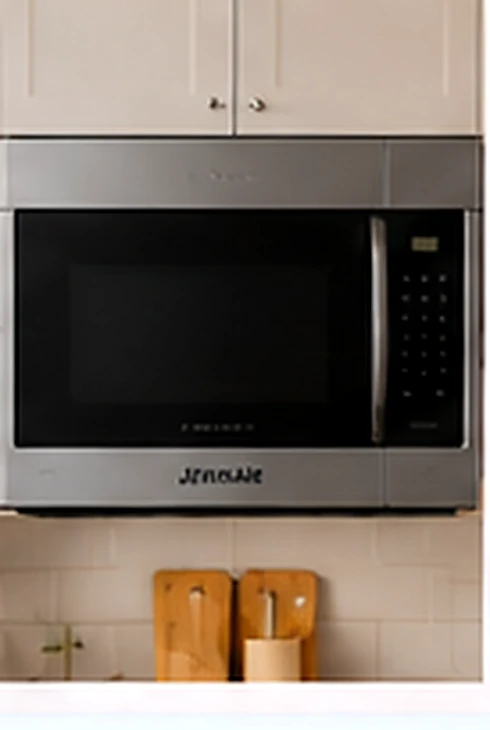
Illustration of a built-in microwave in a kitchen, representing JennAir microwave repair service

Request a Call Back

Leave your number. We'll call you about your JennAir microwave.

Your details are used to respond to your callback request.

Have questions? We have answers.

Frequently Asked Questions About JennAir Microwave Repair

What does “E11” mean on my JennAir microwave?

For JennAir U.S. OTR portal; matching control, the compatible model list is not specified, “E11” indicates cooking-vapor gas sensor issue reported; wiring may be involved. Record full model number, exact display, mode and sequence. Persistent errors require qualified microwave service using the matching documentation. Do not open the cabinet or select a part from the code alone.

What does “E13” mean on my JennAir microwave?

For JennAir U.S. OTR portal; matching control, the compatible model list is not specified, “E13” indicates preheat did not complete correctly; control or wiring may be involved. Record full model number, exact display, mode and sequence. Persistent errors require qualified microwave service using the matching documentation. Do not open the cabinet or select a part from the code alone.

Why does my over-the-range JennAir microwave fan stay on?

On equipped models, heat from the cooktop can activate automatic ventilation or cooling. Review the exact owner guide and allow the surrounding area to cool. Report a fan that continues after cooling, unusual noise, or an accompanying error.

Why does my JennAir microwave run without warming food?

Check the selected cooking program, power level, and any demonstration setting in the owner guide. Record whether the light, fan, and turntable operate. Continued no-heat operation requires qualified diagnosis; avoid removing the cabinet or attempting high-voltage repairs.

Other JennAir Appliances We Service

If you own other JennAir appliances besides your microwave, you can find the related service pages below. For a JennAir product that is not included, call us or submit an online request and we’ll review the service options.

(980) 443-5851 call me back